
Find the next task that needs your attention.
The task board brings supported sessions into stable cards so unfinished work stays visible. It is a way to check progress across tools while each agent remains in its own app.
- Organization
- Stable task cards grouped by observed state
- Filters
- Project, source, time range, and keyword search
- Source actions
- Thread or app navigation depends on the integration
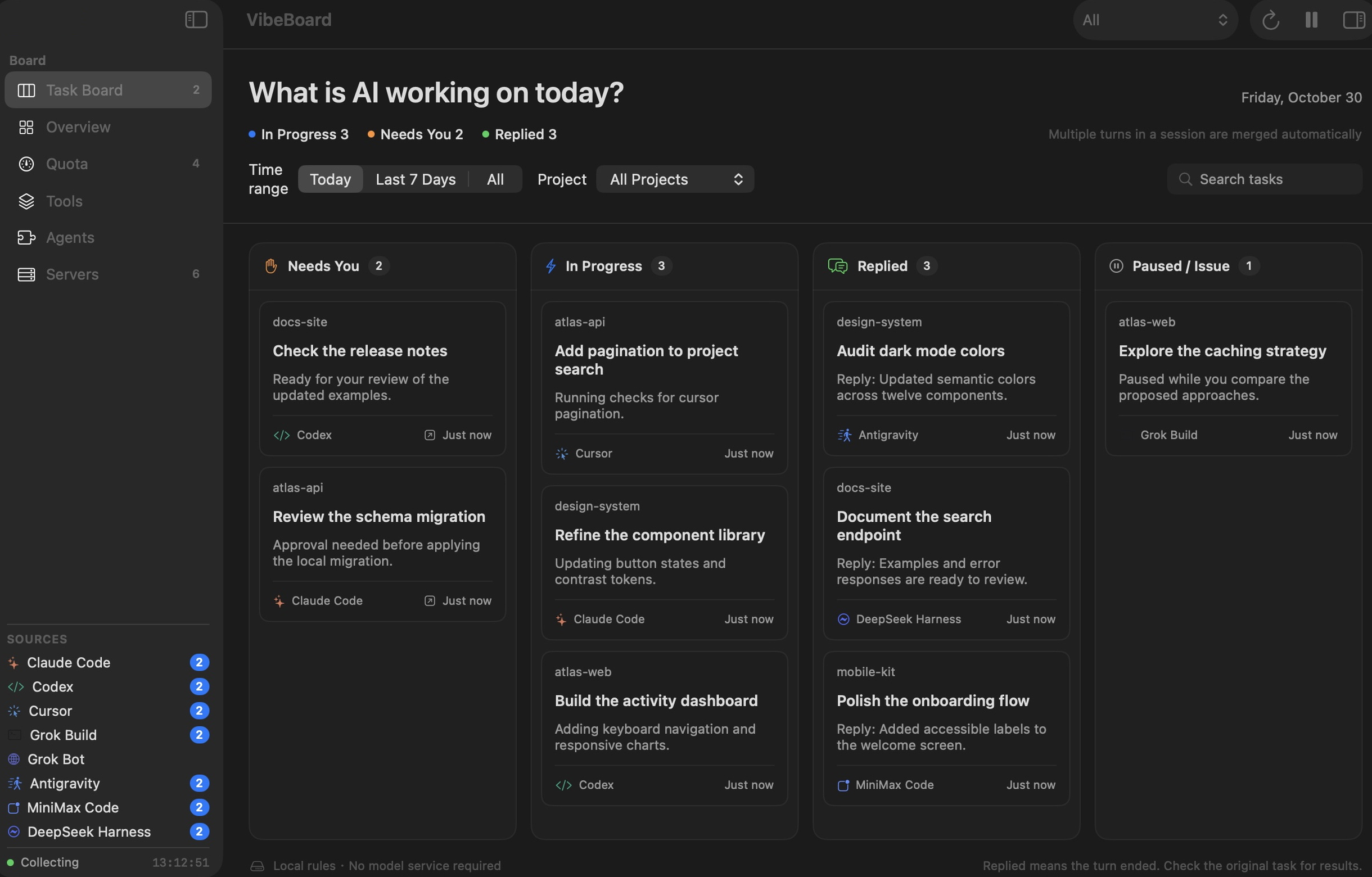
Four states with a specific meaning
Needs you means a source reported an event requiring your input. In progress means a turn was observed running. Replied means the source reported that the turn ended. Paused & issues covers interrupted work, issues, or a state that needs confirmation.
A completed turn still needs your review. The board does not certify code quality or infer completion merely from a period without events. Open a card for details, then return to the agent for the next step.
Keep unfinished work within reach
The default view includes work active today and unfinished tasks from earlier days. Expand to the last seven days or all tasks when looking for an older session. Project and source filters narrow a busy board; keyword search helps locate the context you remember.
Stable cards keep related source sessions together instead of making every observation another item to sort. This is particularly useful when you alternate between several projects and agents during a day.
Source coverage determines what appears
Codex, MiniMax Code, and DeepSeek Harness provide local task data with different capabilities. Hook-based integrations provide observable events and status. Grok Bot supplies quota only and contributes no task sessions.
Keep VibeBoard open to receive hooks, and run a short task after connecting a source. Return actions range from Codex’s specific thread links to MiniMax’s app-only link. The board does not provide universal chat or permission approval controls.
Try this workflow on your Mac
Use the 3-day trial to check Task board support with your own tools before choosing a one-time license for 1, 2, or 3 Macs. Waffo hosts checkout. Third-party AI subscriptions and model costs are separate.
Start a free 3-day trial once per physical Mac, or paste your license key during onboarding or in Settings → License. No account or card is needed for the trial. Paid licenses renew a signed 30-day receipt online about once a month.
Task board questions
Does Replied mean the task passed review?
No. It means the source reported that the turn ended. Review the result in the source app and run the checks appropriate to your work.
Where can I find unfinished work from yesterday?
The default board retains unfinished tasks from previous days alongside today’s activity. You can also expand the time range to seven days or all tasks.
Why is a recognized agent missing from the board?
Recognition is not identical to task support. Grok Bot is quota only, and hook sources need connected hooks and observable events while VibeBoard is open.
Check your own setup.
Download the compatible package, read its activation notes, and verify a short workflow before relying on the dashboard.
Get VibeBoard for MacSetup documentation