
Find the project behind a localhost address.
Local development can leave several servers running across terminals and projects. VibeBoard groups detected listening processes by project so the address, port, and process context are easier to check.
- Discovery
- Local listening processes within supported port ranges
- Actions
- Open an address, copy a link, or inspect process identity
- Optional naming
- Off by default; uses your chosen AI endpoint
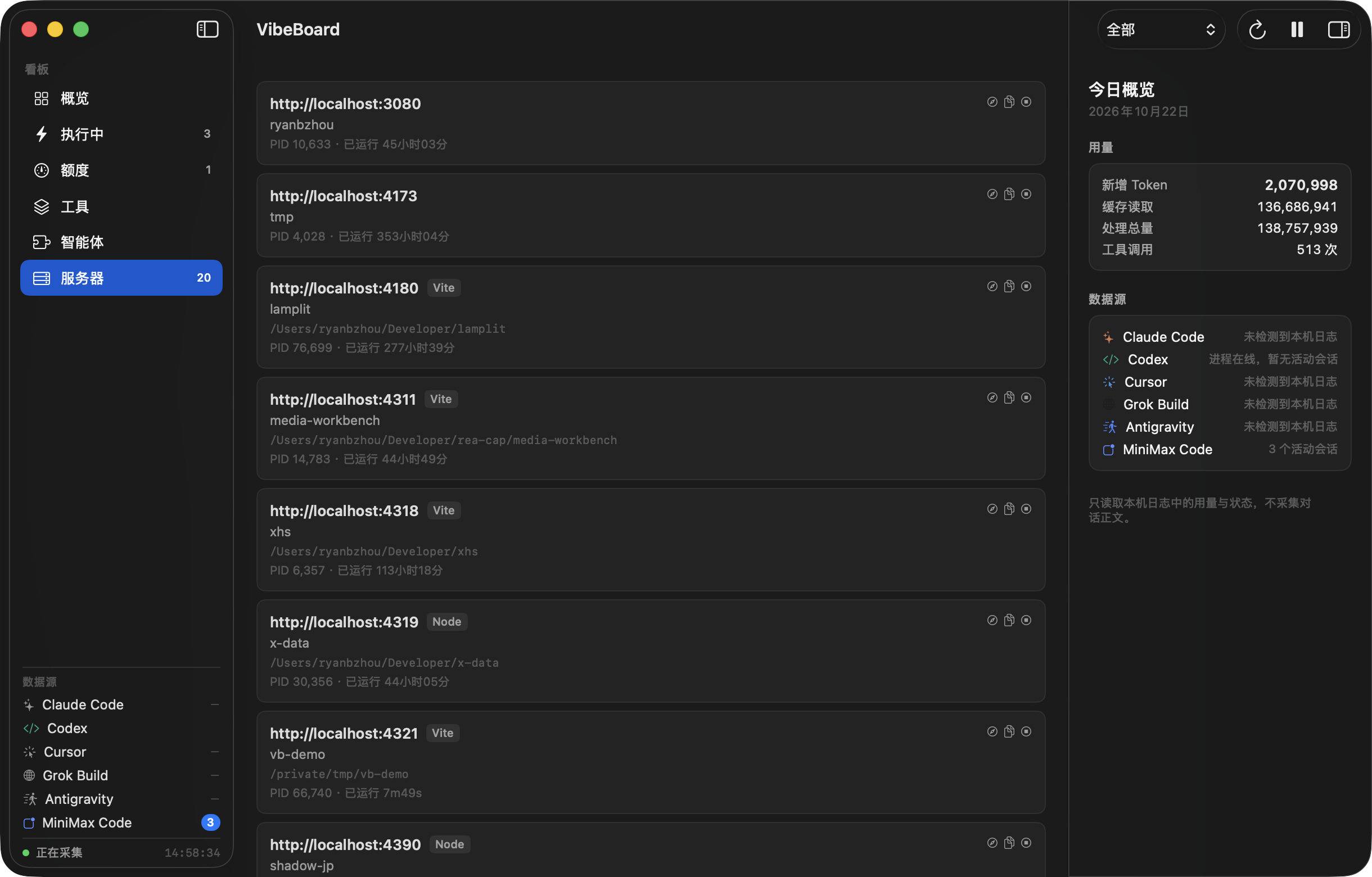
Go from a server row to the project
The servers view brings local addresses and available process details into one place. Use it to distinguish the preview you just started from another project still running in the background. Open an address or copy its link without searching through terminal scrollback.
Discovery is limited to supported local listening processes and port ranges. It is not a complete network inventory or a promise to detect every background service, container, or remote environment.
Check a process before stopping it
Process context helps you decide which service belongs to your work. Review the project, port, and process identity before confirming a stop action. A familiar port alone is not enough to identify the right process.
Server discovery runs separately from agent task reporting. A detected server does not prove that a coding task finished successfully or that the page it serves is correct; open it and check the behavior you need.
Optional smart naming has its own boundary
Smart naming is off by default. If you enable it, limited project metadata goes to the AI endpoint you choose. It is separate from routine local monitoring and has separate cost records.
Start by checking a known local development server in the standard view. Compare its address and project context with your terminal before enabling optional naming or using process controls.
Try this workflow on your Mac
Use the 3-day trial to check Local servers support with your own tools before choosing a one-time license for 1, 2, or 3 Macs. Waffo hosts checkout. Third-party AI subscriptions and model costs are separate.
Check the download page first: the 0.2.0 package uses machine-bound offline activation through support. Its online trial and self-service purchase activation are not enabled. Version 0.3.0 adds the online trial and website-license activation; check the download page for rollout status. Website license keys cannot activate 0.2.0.
Local servers questions
Will every listening service appear?
No. Discovery covers supported local listening processes within supported port ranges. It does not claim a complete inventory of local or remote services.
Does server discovery require AI naming?
No. Smart naming is optional and off by default. Enabling it sends limited project metadata to your chosen AI endpoint.
Does a detected server mean my app works?
No. Discovery shows a listening process and its available context. Open the address and verify the application behavior yourself.
Check your own setup.
Download the compatible package, read its activation notes, and verify a short workflow before relying on the dashboard.
Get VibeBoard for MacSetup documentation